


Creating a hunting event
From the plus button to a finished invitation — driven hunts, stalks and stand hunts in seven steps.
You create an event in the mobile app: choose whether the hunt takes place in your own hunting ground or outside it, fill in the dates, capacity and price, add instructions for participants and accept the terms. A public event then also appears in the event listing here on the website, so anyone can sign up for it.
Open Events and tap the plus
Switch to Events in the bottom bar of the app. You will see the events you organise, public events and the history. Start a new one with the plus button in the top right.
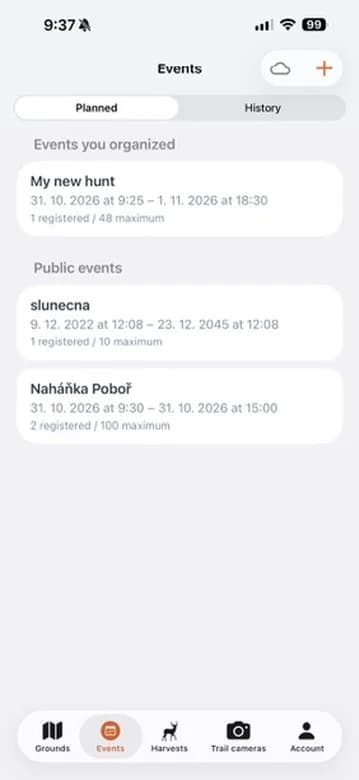
The event list with the button for creating a new one. Choose where the hunt takes place
Organize new event sets one up in your own hunting ground. Start with clean map is for a hunt outside it — you mark the area on the map. Join event via code is for joining someone else's event, not for creating your own.
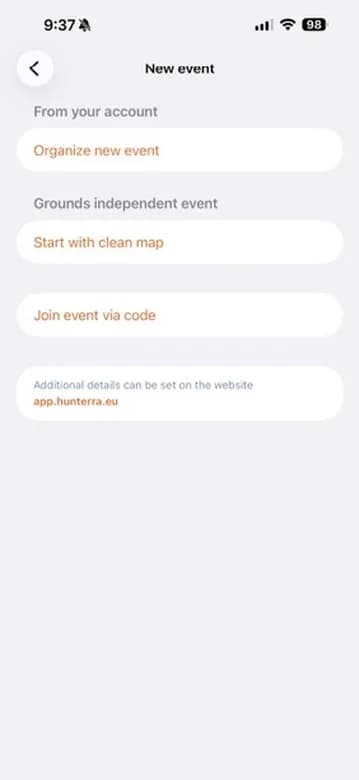
Three ways to start. Further details can be set on the app website. Fill in the name, dates and capacity
Everyone interested sees the name, so make it self-explanatory. Pick the start and the end, including the time, from the calendar. The same screen sets the visibility: anyone can join a public event and only a public one appears in the public listing, while a private event can only be joined with a code. Member capacity applies to public events only — the organiser does not count towards the limit, and you can invite more members once the event is created. The meeting place and the end place are optional.
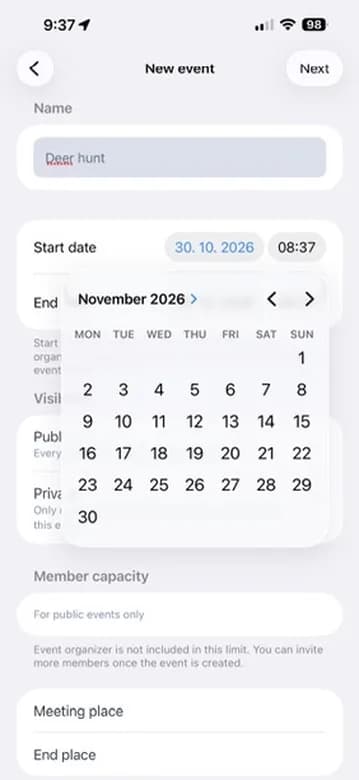
Name, dates, visibility, capacity and the meeting places. Add a description and photos
The description and photos tell people what they are signing up for. Pick a photo with Choose image from gallery. The Payment section starts below them.
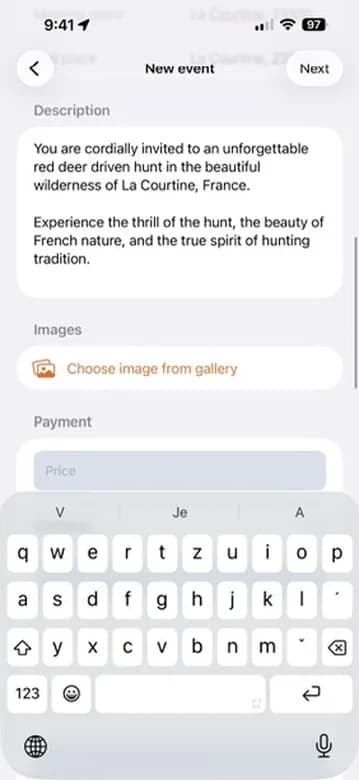
Description, photo picker and the start of the Payment section. Set the price, currency and terms
Enter the price and pick a currency from the list — koruna, euro, dollar, pound, złoty, forint, franc and the Scandinavian currencies. Leave the price empty if the event is free. The account number is shown to participants. Further down the same screen you write the hunt instructions, optionally add a link to your own terms of participation, and finally accept the terms of use.
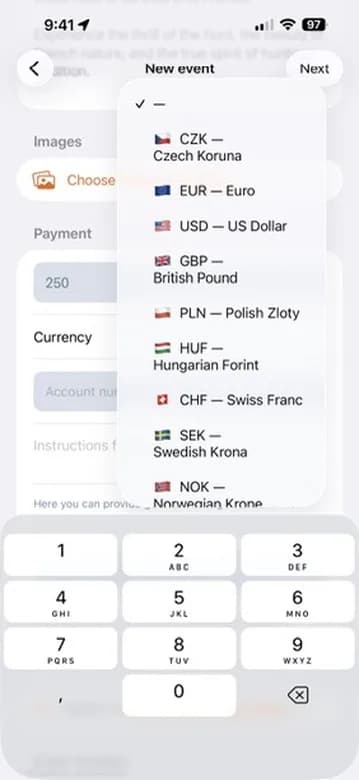
Price and currency picker. Draw the area for an event outside your ground
Tap the map to create corner points and drag them to move them. The arrow undoes the last point, the bin clears everything. Done saves the outline.
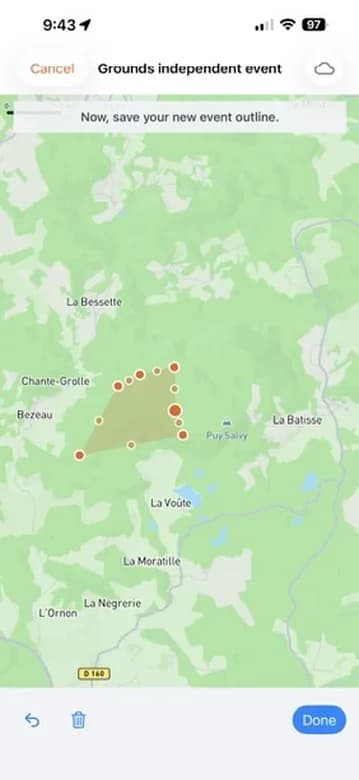
The drawn outline of an event outside a hunting ground. Done — the event is live
The detail shows the event status, the dates, how many people registered against the maximum, the price with the account number and a variable symbol, and your instructions. Change the status with New event status. A public event also appears in the event listing on the website.
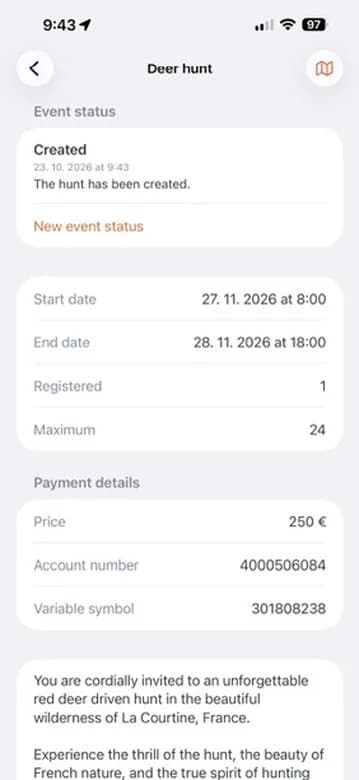
The detail of the event just created.
Only events marked as public appear in the event listing on this website. Private ones stay reachable only through the code you send out yourself.

Want to list your own event?
Organising a driven hunt or a stand hunt? Post it in the HUNTERRA app and it will show up in this listing.