

Trail cameras
Photos from your trail camera land straight in the ground map — with the animal already recognised.
You don't drive out to swap a card. The camera sends the photo itself.
Connect your own trail camera to HUNTERRA and every photo it takes appears at its point in the ground map, with the time it was taken. The app recognises the game in the photo and sends you a notification when something is seen. Photos can be shared with the rest of the ground, added to a point of interest, downloaded or deleted — and the whole camera can be shared with your hunting partners by code or QR, so they have the same picture of what is moving in the ground.
Photos where they belong
Every camera is a point of interest in the map. Photos are in its detail with the date and time, so you know what walked past which feeder — not in an inbox full of messages.
The app recognises the game
Each photo gets the recognised species as a label — fallow deer, wild boar, red deer. Shots that recognised nothing are marked with a question mark, so you can flick through them in seconds.
Shared with the whole party
Your camera is yours, but you can let others in with a code or a QR. They see the photos, you keep the control — access can be taken back at any time.
How to connect a trail camera
Three steps: switch the feature on, give the camera the sending details, and wait for the first photo.
Switch trail cameras on
In Account → Settings open Trail cameras and turn the feature on. From then on you can add trail cameras to points of interest of the camera type.
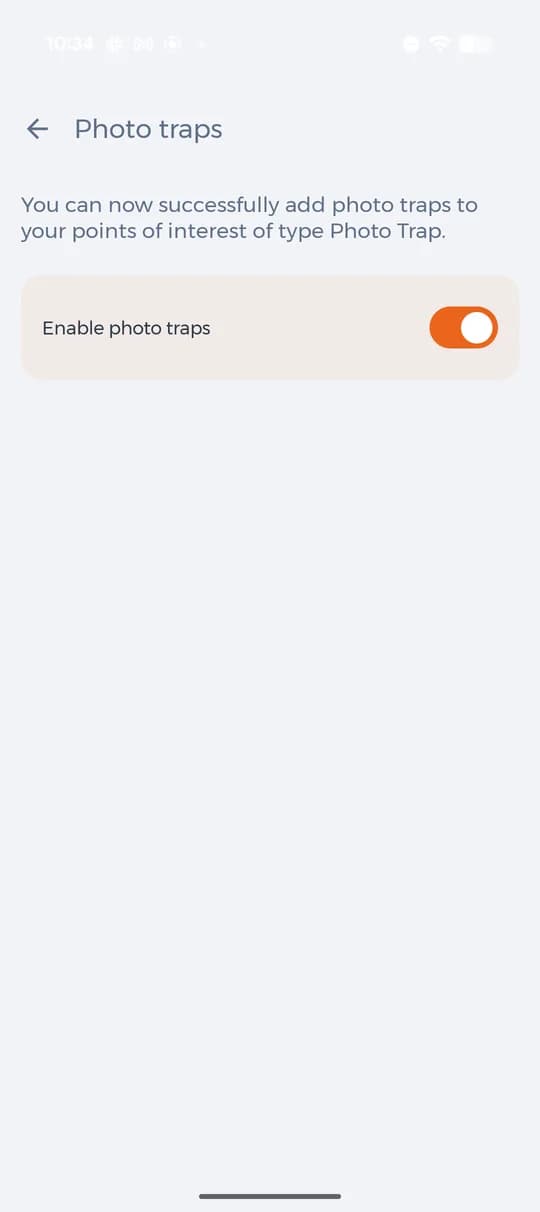
Turning the trail camera feature on in settings. Copy the sending details into the camera
Create a point of interest of the camera type in the map. The app generates a mail address for that camera and the SMTP details that go into it — address, host and port. The camera then sends photos to the app instead of to your mailbox.
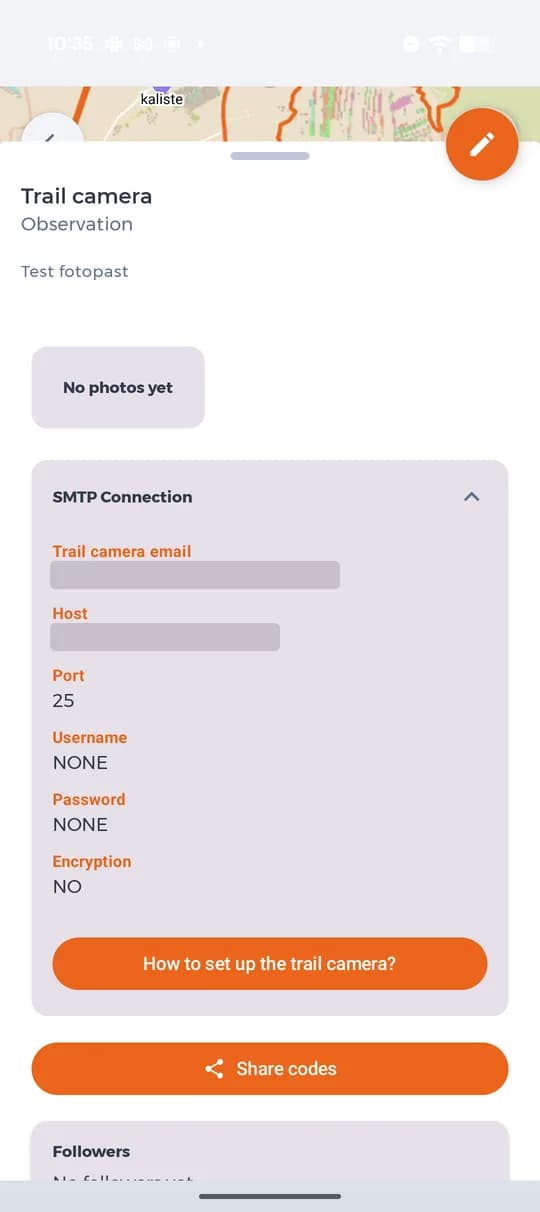
SMTP details for the camera (address and host hidden here). Photos arrive on their own
From then on every shot lands in the camera's detail with the date and time. Each photo can be added to a point of interest, downloaded to the phone or deleted.
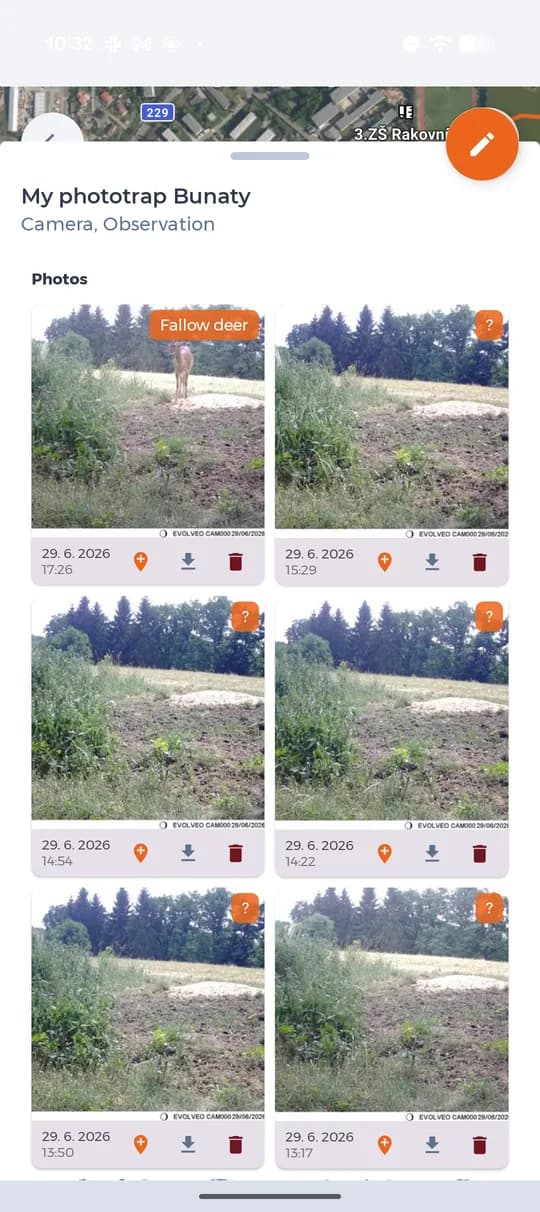
Photos from the camera with the recognised species.
Recognition and notifications
The app reads what is in the photo and writes the species on it. You set which events you want to be told about in Account → Notifications — by e-mail, by push, or not at all. Instead of scrolling through hundreds of empty shots you get a message when something really walks past.
Sharing a camera with your party
The camera stays yours. Others get in through a code you can revoke.
Create a share code
In the camera's detail open Share codes and create one. The code can be shown as a QR, copied, sent on, or deleted when someone should no longer see the photos.
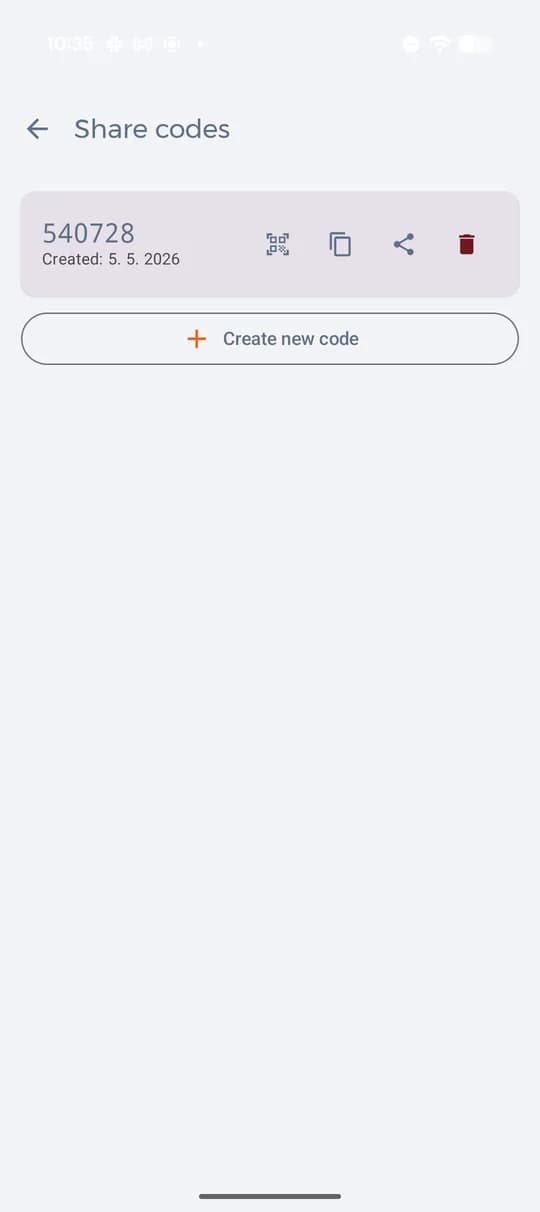
Share codes for one camera, with QR. The other person opens the camera in the map
They see the point in the ground map, but not the photos — the app tells them they are not the owner and offers to enter a code.
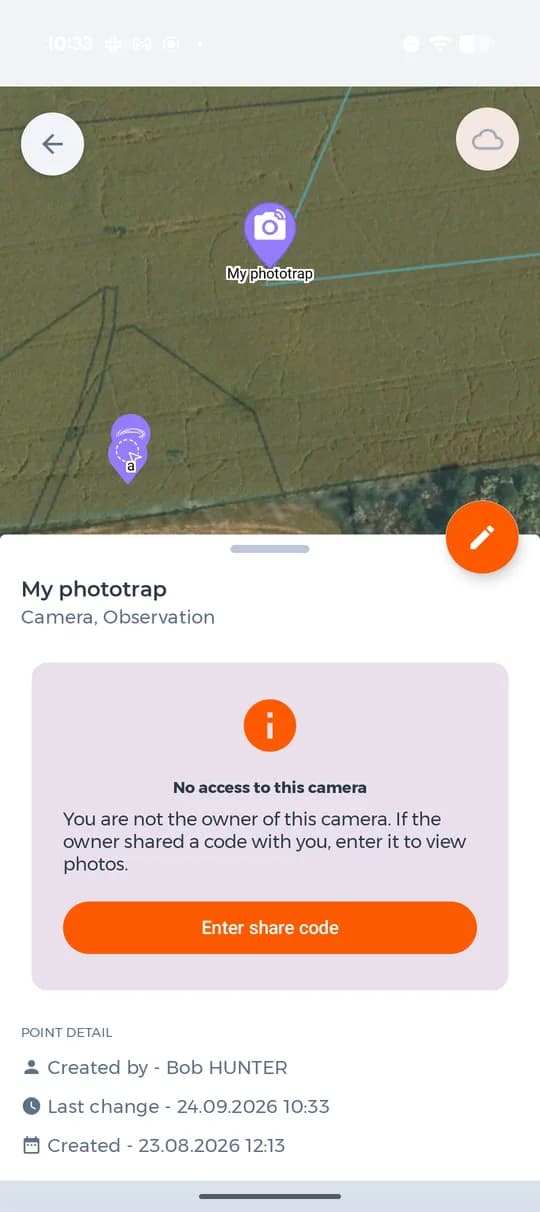
A camera without access in someone else's map. They enter the code or scan the QR
After entering the code the photos open for them too. In the camera's detail you see the list of followers, so you always know who has access.
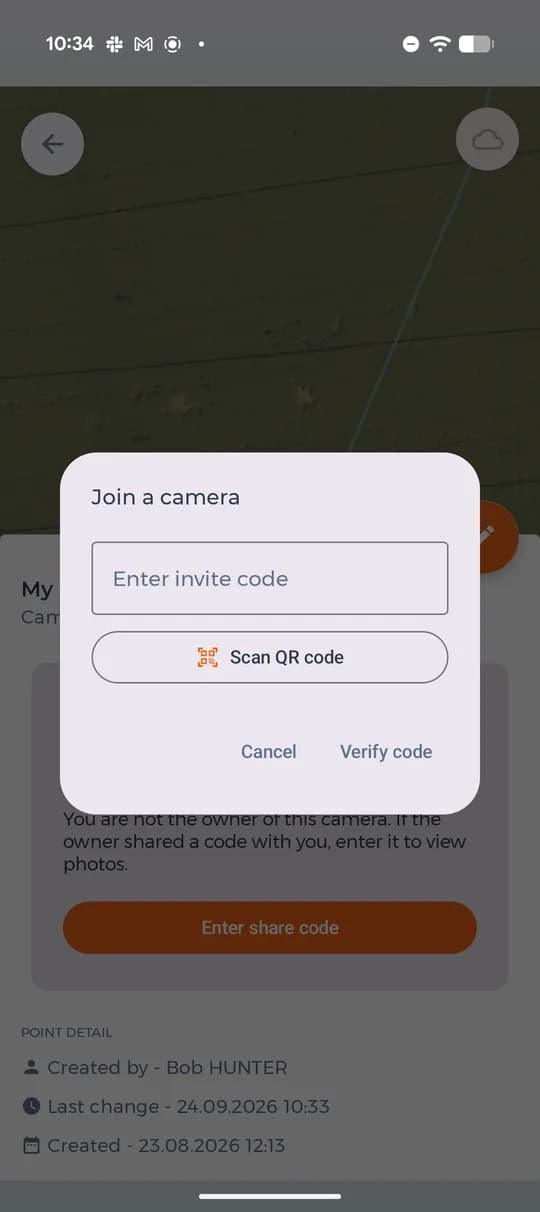
Entering the invite code, or scanning the QR.
Trail cameras and your plan
Connecting your own camera is a Premium feature. On Basic you can join someone else's shared camera with a code; the free plan has no trail cameras.
- Connect your own trail camera (Premium only)
- Join a shared camera with a code (Basic and Premium)
- Unlimited photos on points of interest
- Filter points by type, time and author
- Unlimited ground maps, events and members
- Offline maps for use without a signal
