
Booking a high seat
Tap the seat on the map, pick the time, see who has it already — three steps so that two people don't sit in the same stand.
Every high seat and hunting position in the ground map can be booked for a given time. You open the point, set the start and the end, and the app shows the bookings that already exist on that day — with the name and the role of whoever made them. The others in the ground see it the same way, so a taken seat is taken for everybody, not just in somebody's head.
Open the seat in the map
Tap the high seat in the ground map. The panel at the bottom shows what kind of point it is, who created it and when it was last changed — and at the bottom of it the button Book point.
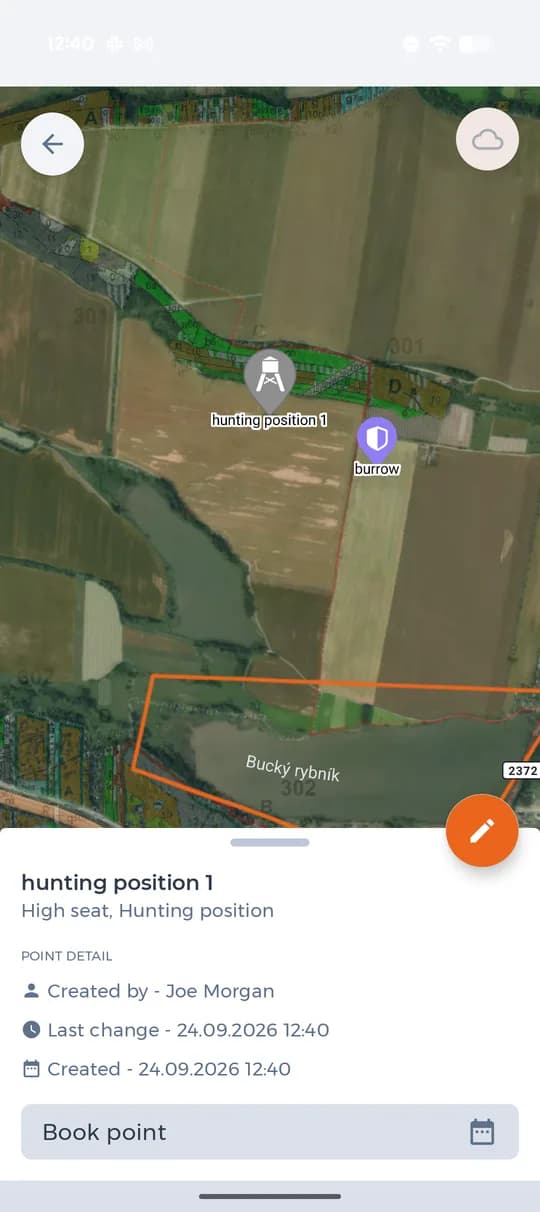
A high seat in the ground map with the Book point button. Pick the start and the end
Set the start time and the end time. Under them the app lists the bookings for that day, so an empty list means the seat is free.
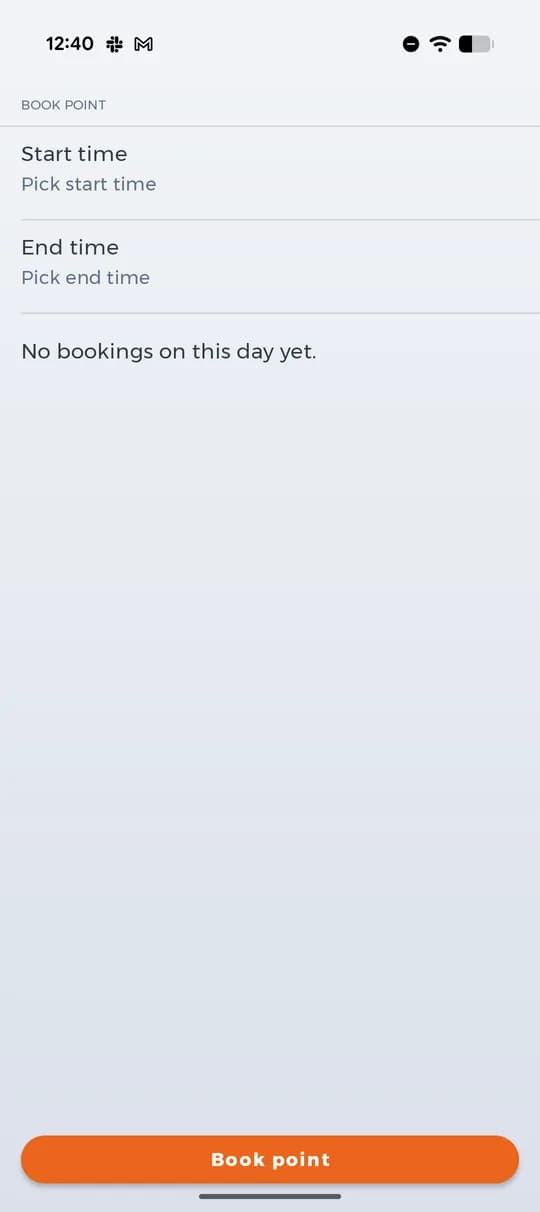
Choosing the time of the booking. See who is already there
Once a booking exists, it stands in the list with a name, a role in the ground and a time range. Everyone who opens the point sees the same thing before they set out.
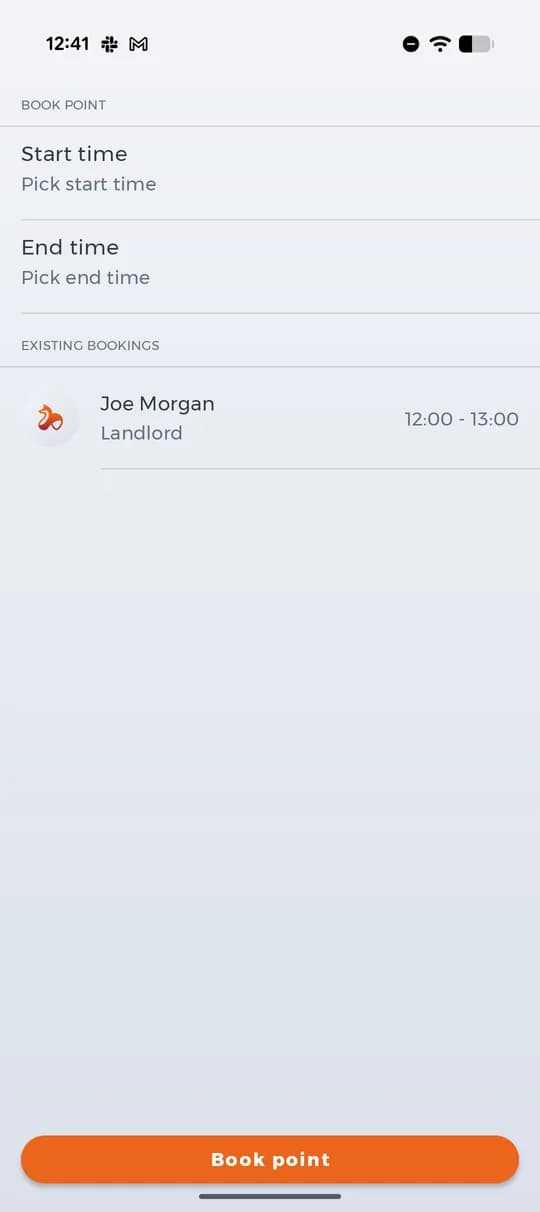
An existing booking with name, role and time.
A booking says where somebody intends to sit. Where they actually are during the hunt is a matter of location sharing — the two are worth using together.
