What bothered our users the most when using the HUNTERRA application in the field? Weak GSM signal coverage and data connection outages. That’s over! We didn’t buy Deutsche Telekom shares or build our own network of Chinese BTS, but we have strengthened offline functions!
Offline first for trajectories
All our users can now enjoy not only new trajectory colors, thanks to which they can easily distinguish not only dogs, but also their owners. The fundamental change comes in a new way of storing and sharing trajectories. They are now resistant to data network outages. If the user gets out of data coverage, the trajectories continue to be recorded locally, and as soon as they return to the signal, everything is synchronized.
Data synchronization in hunting grounds
A fundamental change has occurred in working with data in hunting grounds. So far, only for Android users, on whom we will “learn” in order to present a clever solution to iOS users. But seriously: the reason why we prioritized Android platform users is simpler: our important partner – Lesy ČR – uses Android in the vast majority of cases. And since they have been using the mobile application for a long time, we wanted to accommodate them.
How does it work?
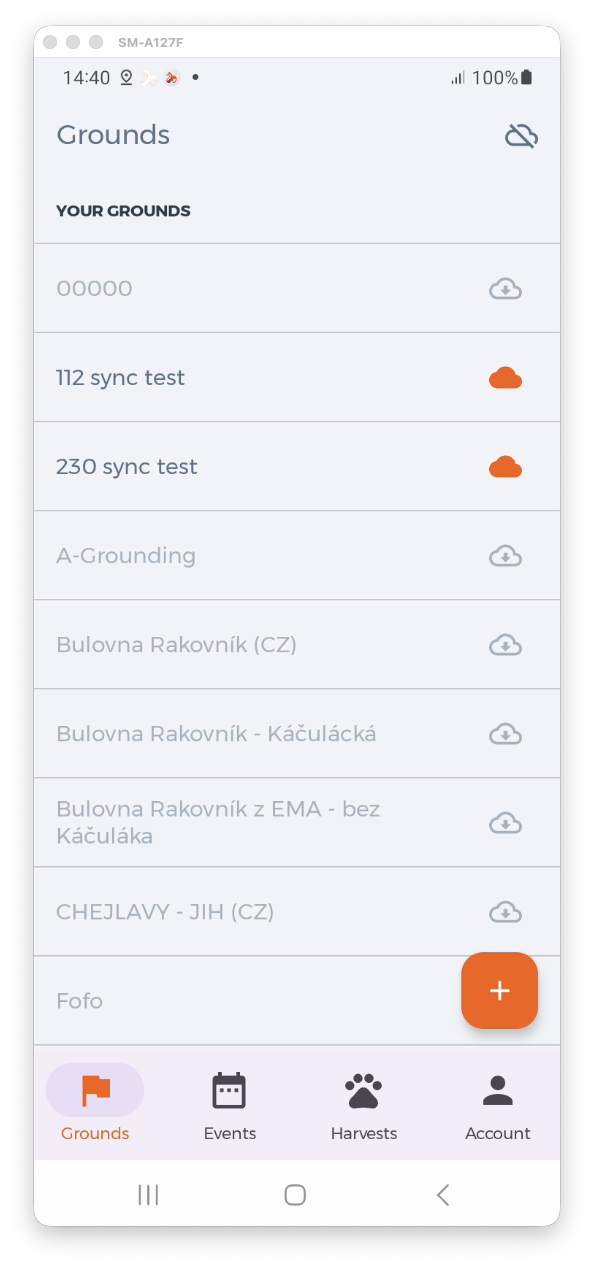
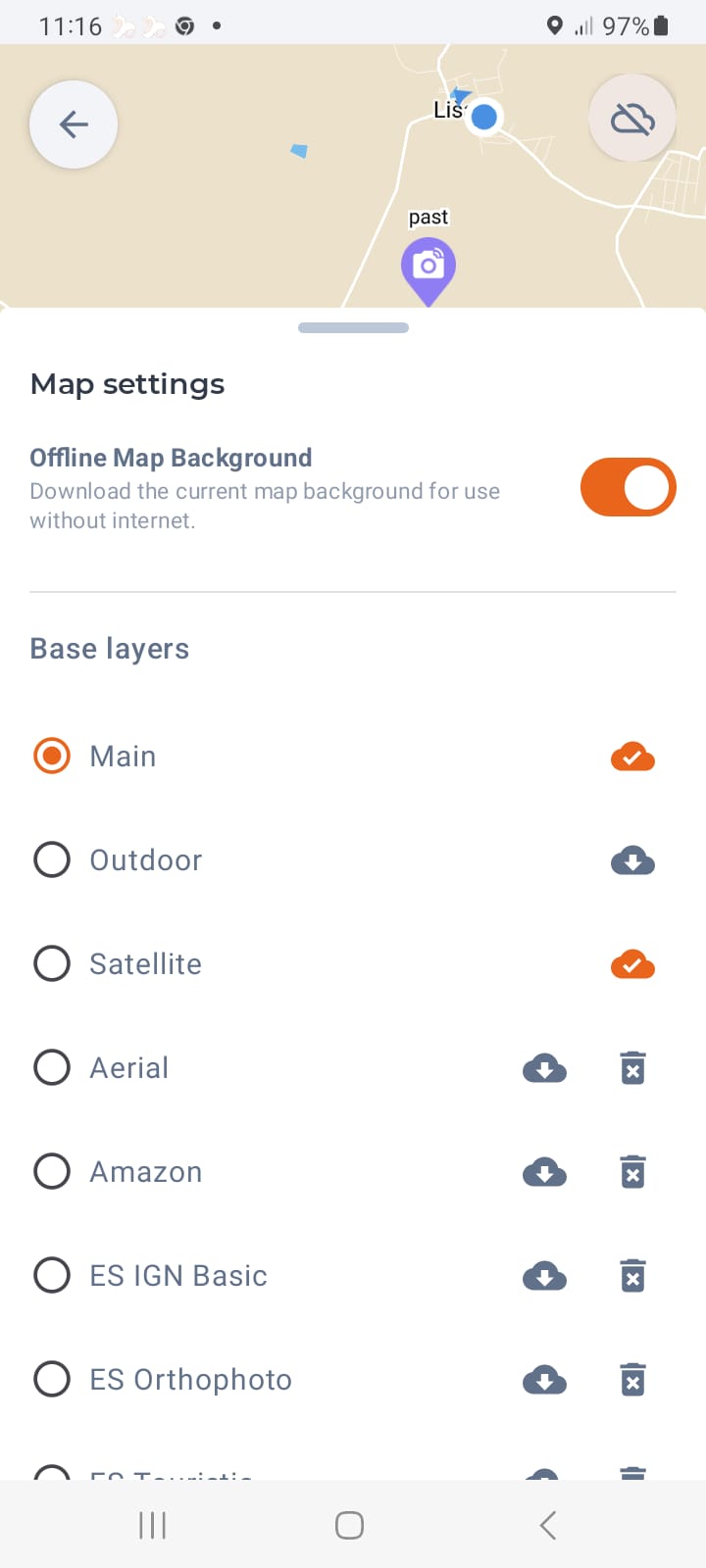
In the list of hunting grounds, just mark the ones that the user wants to use in offline mode. The data of these hunting grounds will be downloaded to the phone’s memory, along with the base map. The user can download other maps for offline use manually – as before.
Both basic and overlay maps can be downloaded. Even these are only basic in the new installation (3 basic + 2 overlay). However, the user has the option to add their own map data – for example from Seznam.cz.
Hunting grounds that are not marked for synchronization are not available in offline mode. This will prevent users from having unjustified expectations that the entered data will be synchronized.
Connection and synchronization status
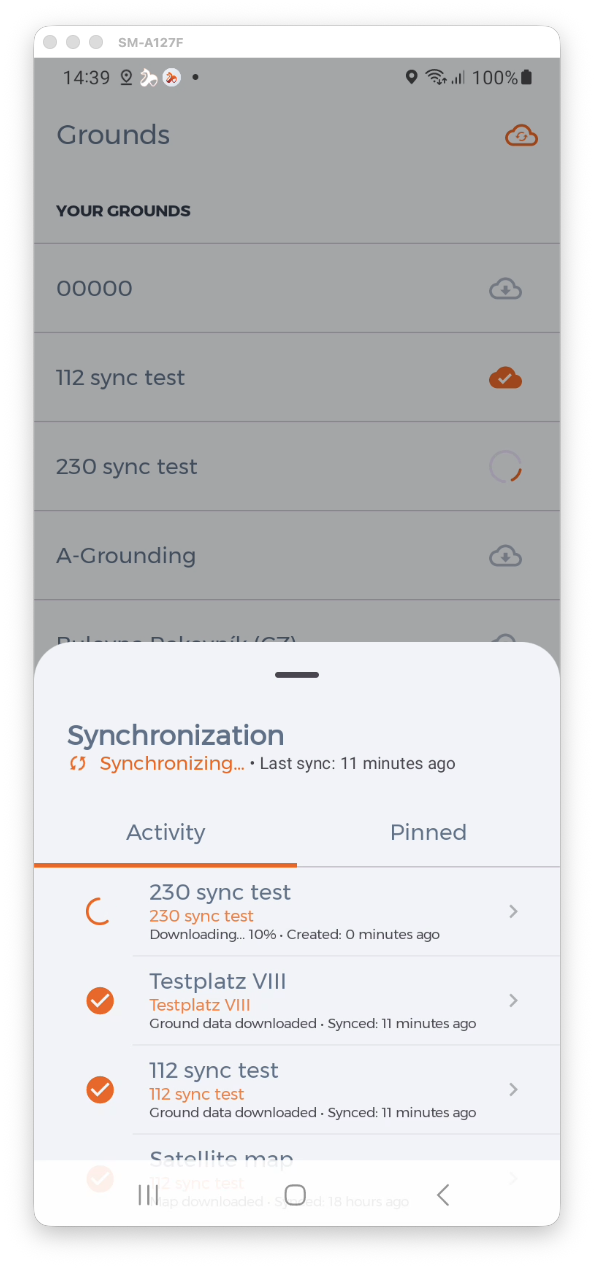
A new icon has been added to the upper right corner of the screen. It indicates the connection status and the progress of synchronizations. This allows the user to see at a glance the status of their data.
Synchronization errors
Errors can occur in synchronizations – for example, when a user assigns a seal in offline mode that the farmer has used on another piece in the meantime. Or when someone makes a conflicting change. These errors, as well as the synchronization log, can be easily viewed by clicking on the connection status icon in the upper right corner of the screen.